

Turn your TIXR seasoninto a calendar people actually book
Visitors pick a date, an experience, an entry time and their tickets without ever leaving your website. Then they land on TIXR checkout with all of it already in the cart. Your events, prices, artwork and availability sync straight from your ticketing account, so nothing gets entered twice and nothing goes stale. Ticketing stays exactly where it is today, start to finish.
Built with TIXR's team for their attraction clients. We set up your account for you, and you can be live in as little as one working day.
Pick a date
Attendees prefer to plan events around visible dates and times, not lists.
An attraction runs the same experience across dozens or hundreds of dates, often with several entry times a night and a mix of adult, child, VIP and group tickets. Ticketing platforms treat every date as its own event, which is exactly right for inventory and exactly wrong for a parent scrolling near-identical pages on a phone. Meanwhile your ad budget sends people to a website that can't actually sell them a day. It can only point them at the list.
Pick a day, a time and tickets.Pay at checkout.
Scroll through a booking the way your customers will. The calendar only offers days that are actually on sale, each choice tucks into a summary bar the moment it's made, and the cart arrives at checkout holding exactly what the visitor picked. No back button, no starting over.
An illustrative attraction. The real screens are below.
17 dates available
Choose from the calendar on the left
 CheckoutCart filled
Payment, fees, delivery and entry stay on TIXR. Pixl Attractions never holds a ticket or a card.
Click below to see a live checkout demo from start to finish.
Our demo runs on a real API integration, so every step below is an actual booking from the first click to the cart.
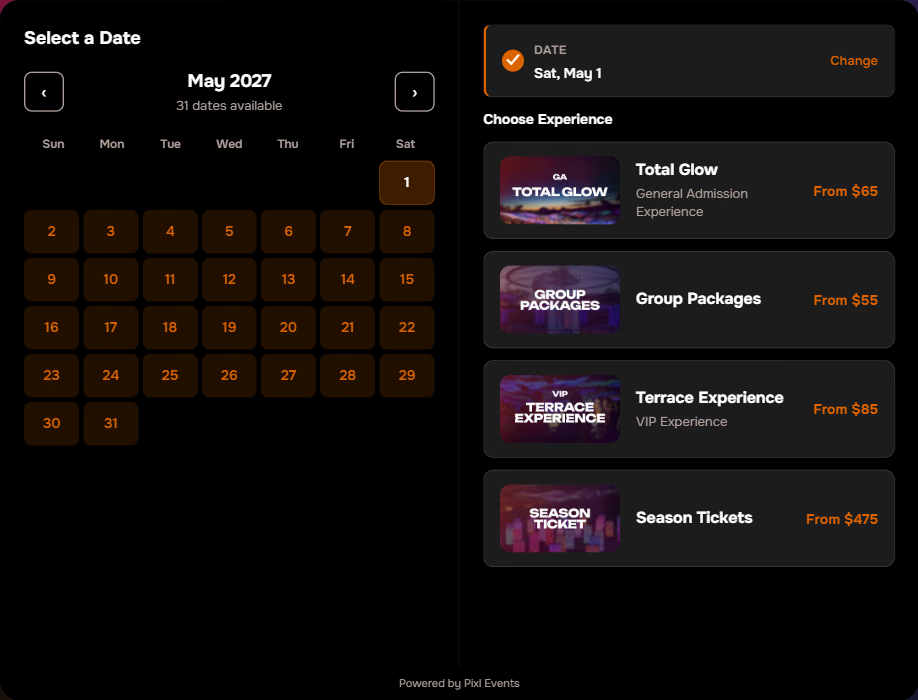
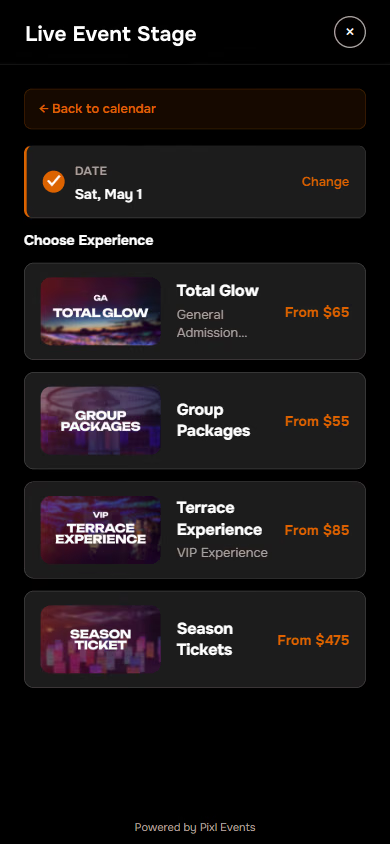
Once a date is picked it folds into a summary bar with a Change link. Every experience card takes its image and its starting price from your ticketing account.
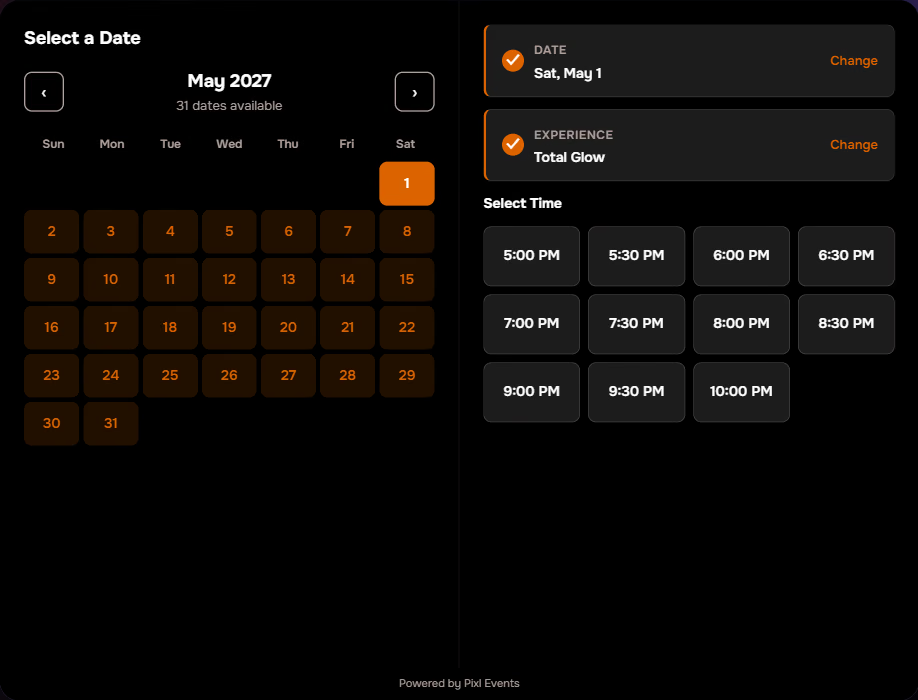
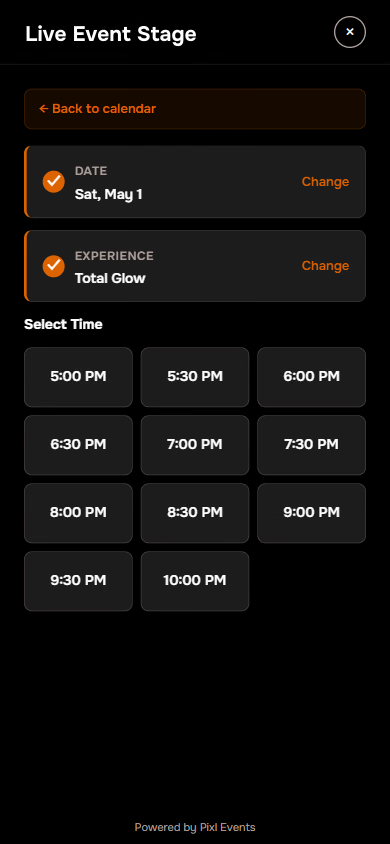
Eleven entry times from 5:00 PM to 10:00 PM, laid out in one grid. When a time sells out or goes to a waitlist in your account, it shows that way here too.
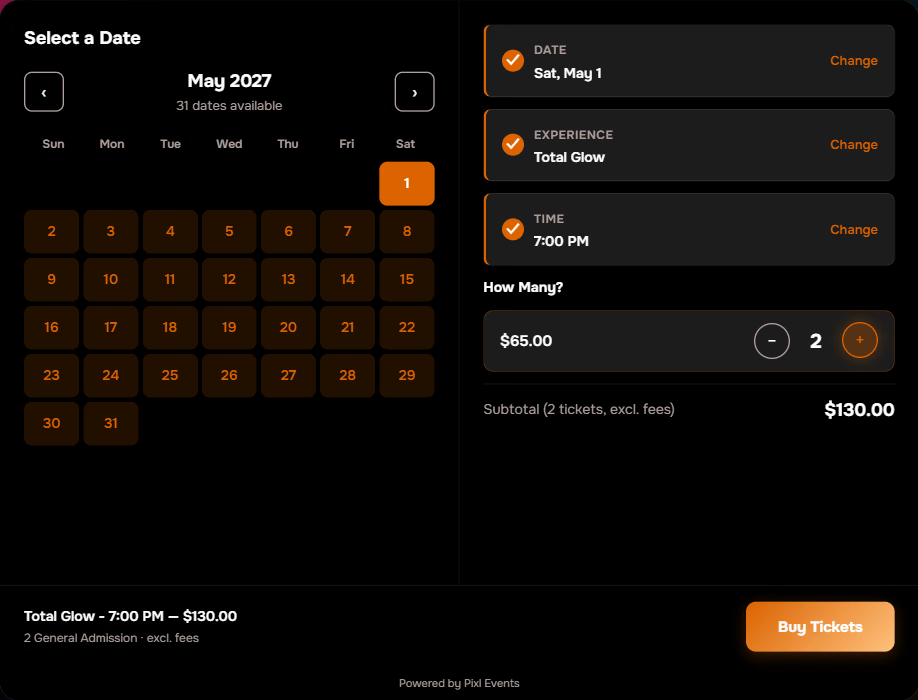
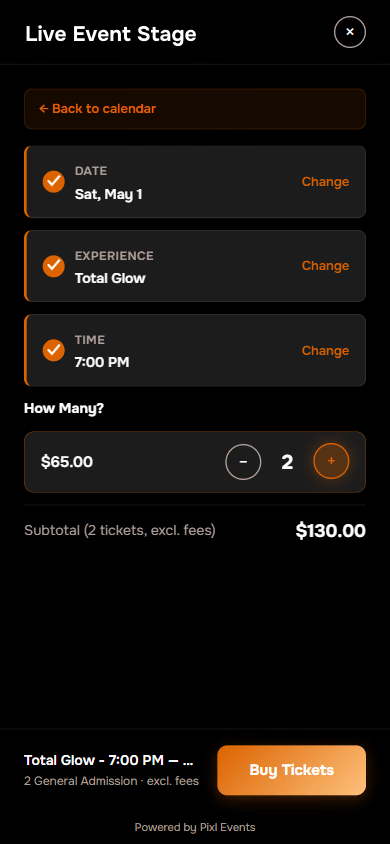
Two tickets chosen, subtotal shown before fees. One more click opens checkout with them already in the cart.
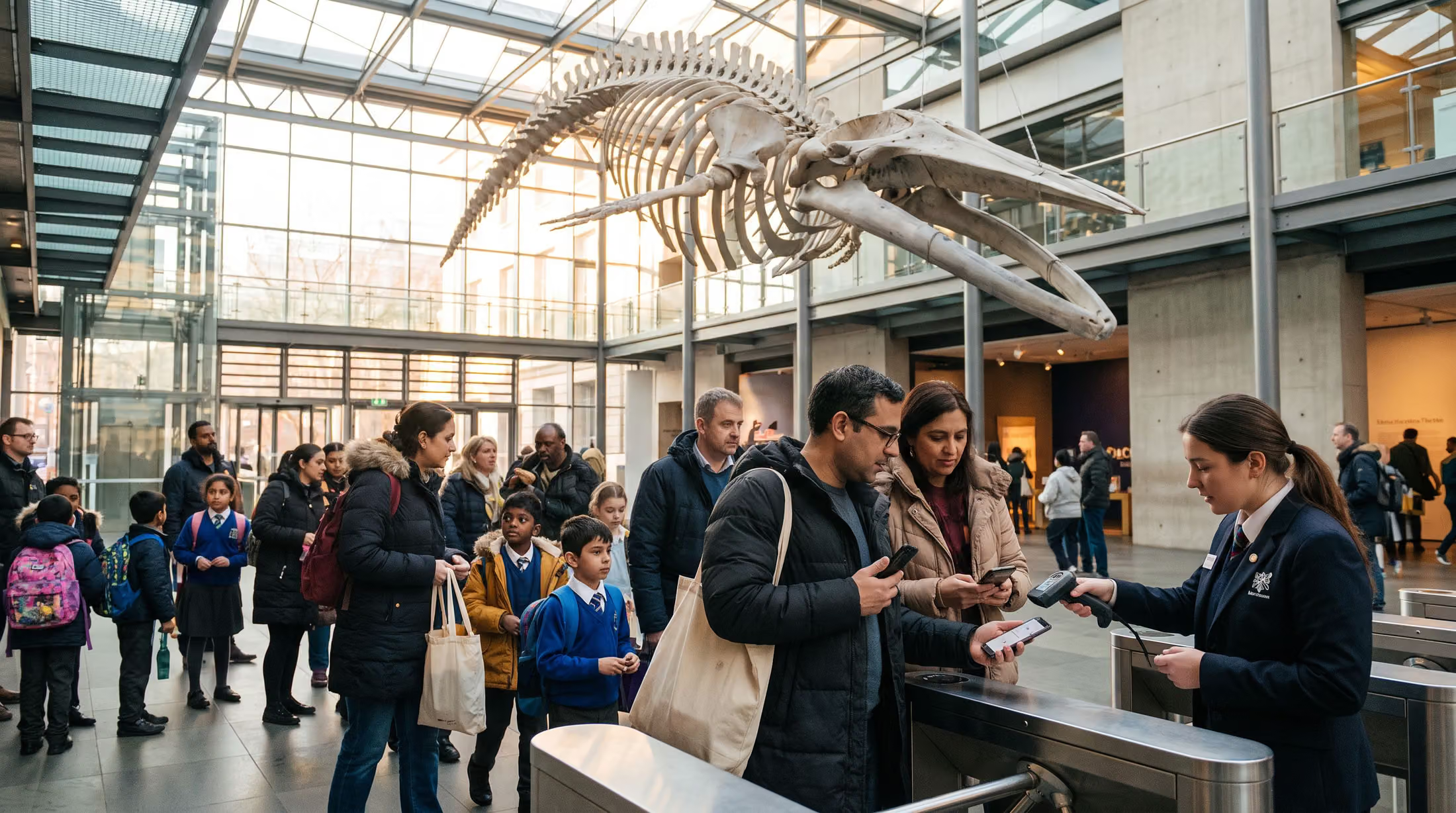
Your visitors already think in days and times
You run lots of dates, several entry times a night, and orders that mix adult, child, VIP and group tickets. Someone who lands from an ad or a search sees straight away which days are open, picks a day and a time in a few taps, and reaches TIXR checkout with the right tickets waiting. Nobody has to scroll a list to find their Saturday.
Easy checkout for two adults, three kids and Grandma
Every ticket type gets its own quantity row on one screen, and every row starts at zero, so nobody ends up with a ticket they didn't ask for. Buy Tickets shows up as soon as a visitor adds the first one. Group packages come with their minimum already filled in, so the counting is done for them.
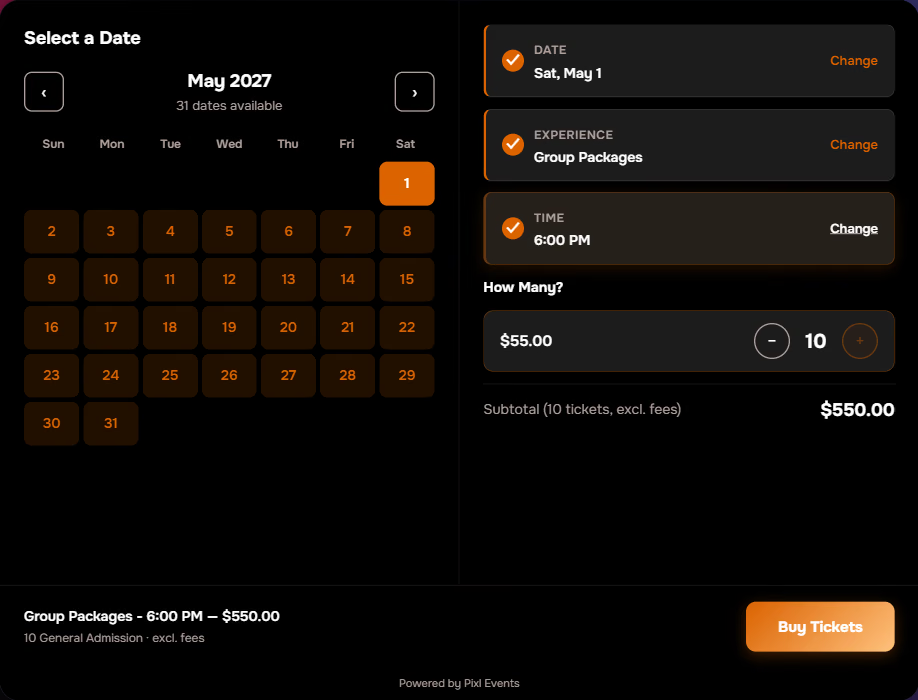
A group minimum at work in the public demo. Ten tickets filled in automatically, with a $550 subtotal.
The cart only holds what the visitor chose
Minus is disabled at zero, and Buy Tickets stays hidden until a ticket is added. What reaches the cart is exactly what the visitor picked, nothing more.
Group rules enforce themselves
Set a minimum on any experience and the quantity step opens with that number already in place. Buy Tickets stays locked until the order meets it. No more short group orders to chase down.
Reserved seating opens the seat picker
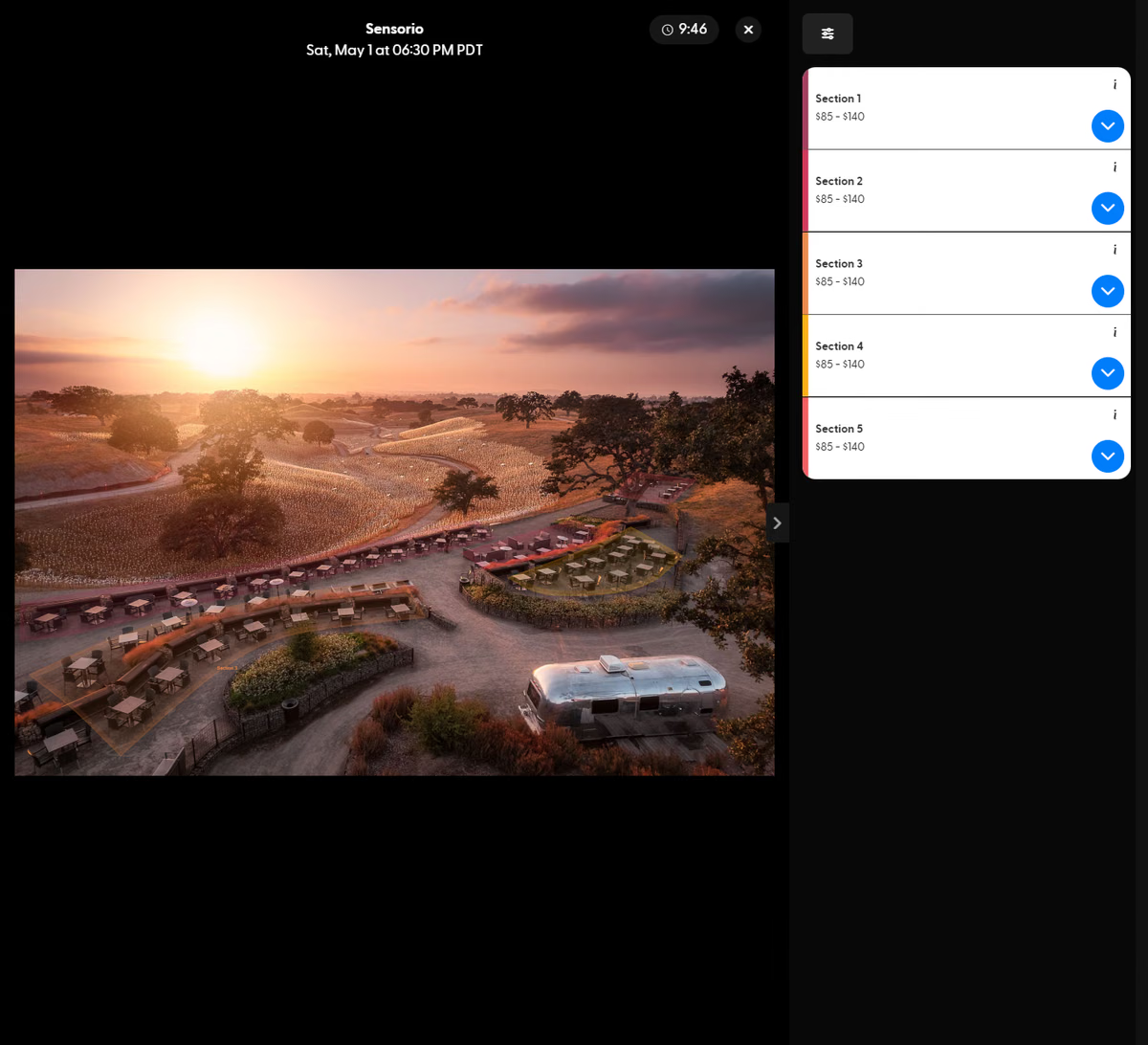
Any experience can be set to skip the time and quantity steps and open on TIXR instead. That's how reserved seats and section picks work, because the seat picker already does that job well.
Anything you sell by the day and the hour
If people plan their visit around a date and a time, this belongs on your site. Museums and science centers, immersive and light-art exhibits, gardens and zoos with timed entry, aquariums, observation decks, seasonal trails and rinks, guided tours, theme parks, and rooms running several shows a night all sell the same way. The only requirement is the ticketing account you already have.
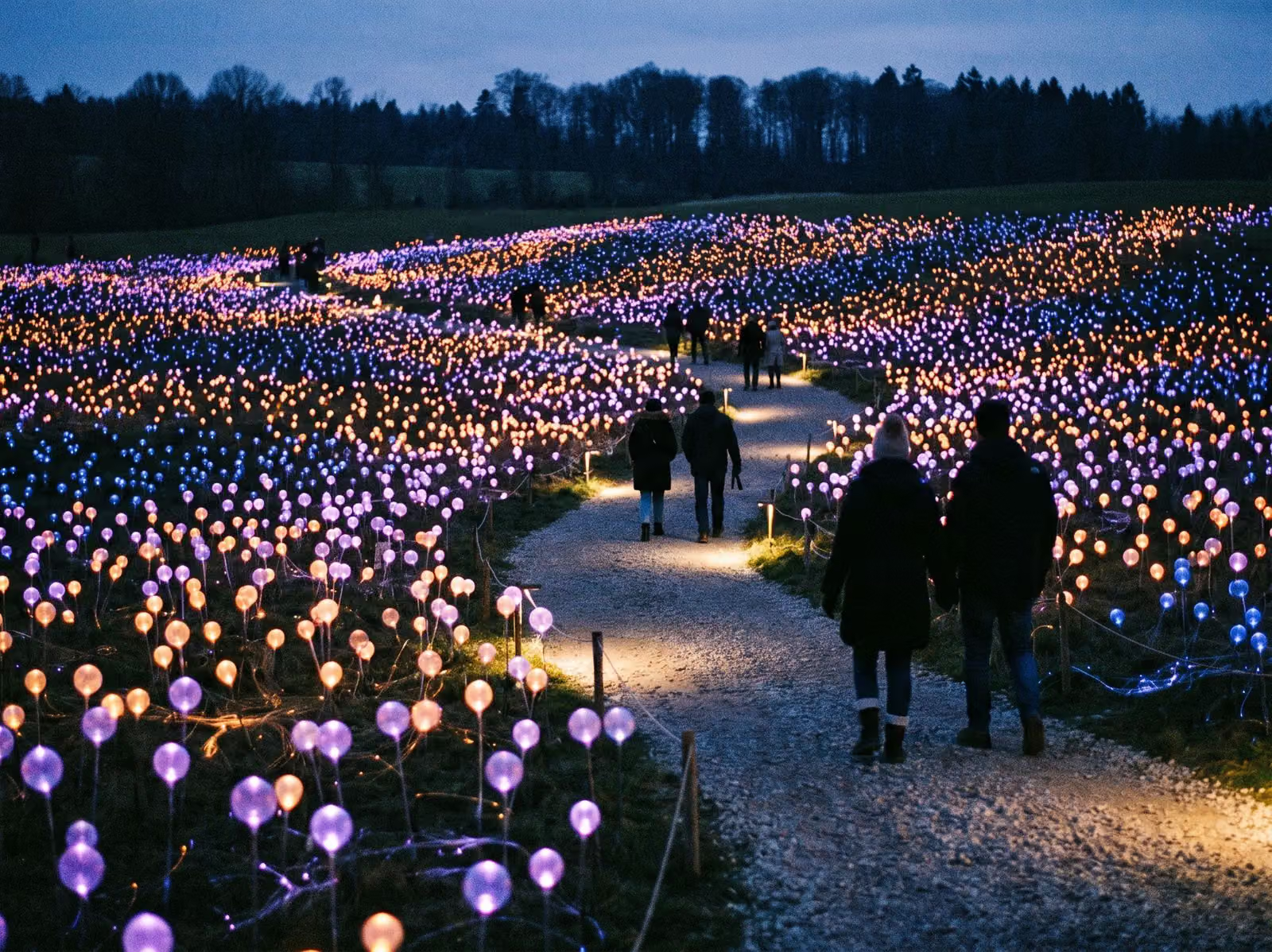 14SAT11 entry times
Immersive and light art
Evening entry times with general and VIP tiers, across a season that runs for months.
5TUETimed entryMuseums and science centers
Members and families book timed admission. School groups show up with a minimum already set.
 22SUN30-minute slots
Aquariums and zoos
Capacity is managed by entry window, with adult and child pricing on every slot.
 8FRI10 AM tour
Guided tours
A handful of departures a day for small groups, with private options that open the cart directly.
 3THUSunset slot
Observation decks
Sunset slots sell out first, and they show as sold out the moment they do.
 20SAT90-minute sessions
Rinks and winter attractions
Sessions run all day, and the season opens and closes right on the calendar.
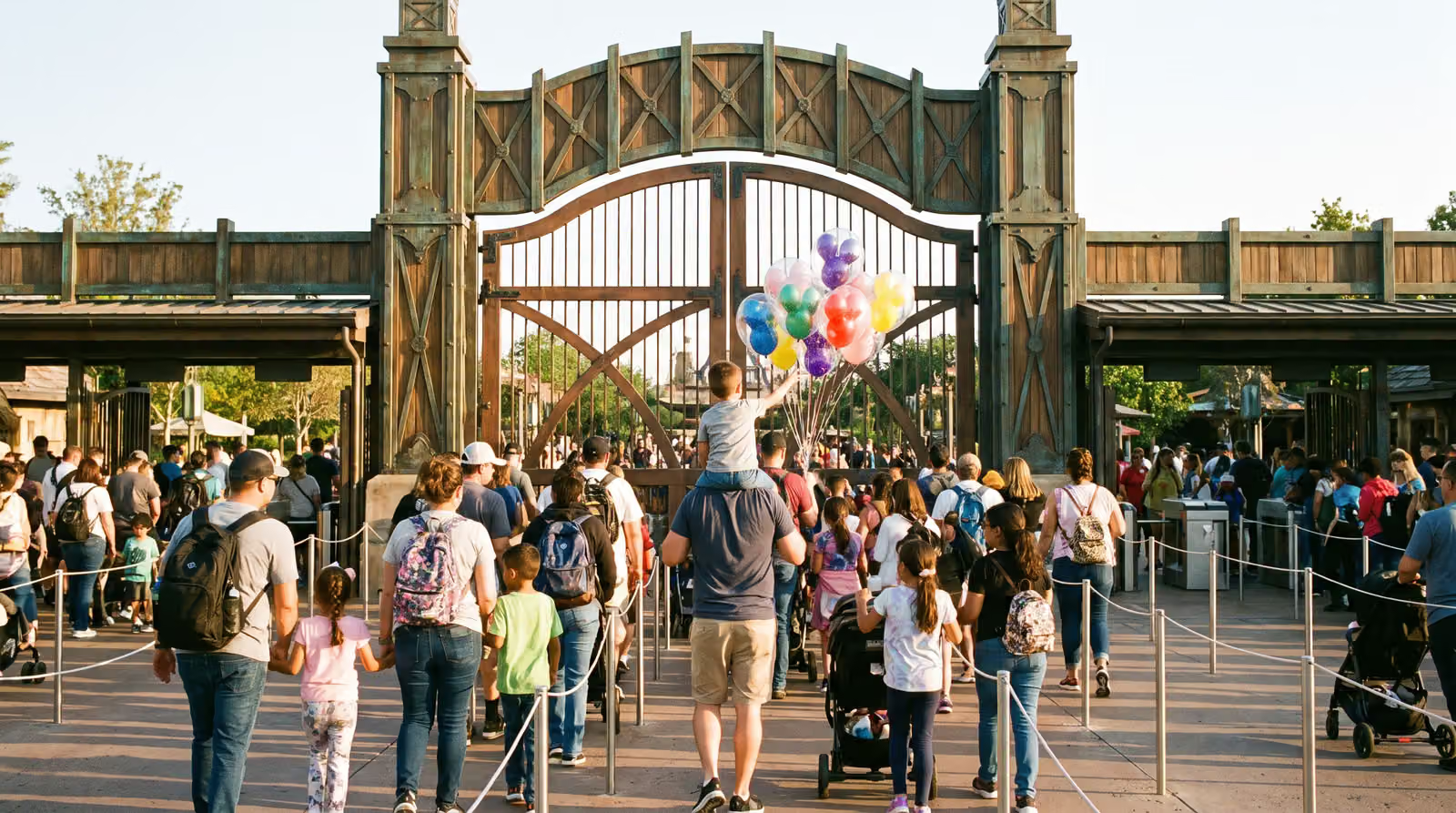 6SATGate opens 9 AM
Theme parks and family entertainment
Dated admission with family bundles and group rates on the same screen.
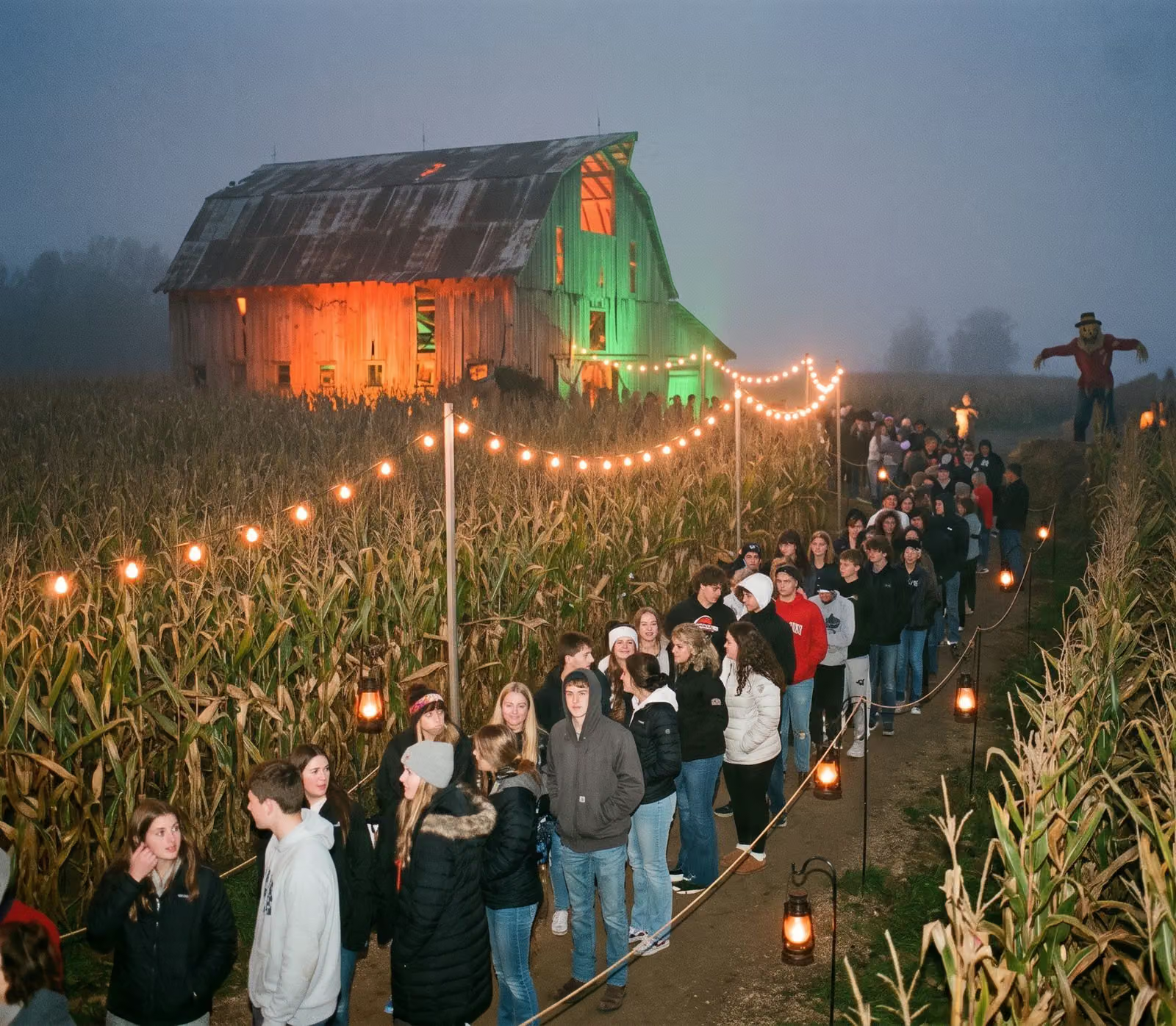 31SATTimed entry, 7 to 11 PM
Haunted and seasonal attractions
A short, intense season where every entry time counts.

Season after season, the calendar keeps itself up to date
Events, prices, artwork and availability all come straight from your TIXR account. New dates show up on your site by themselves, sold-out times show as sold out, and changes you make there reach your website within minutes. The calendar is served from a global edge network, so it loads fast wherever your visitors are, and if the connection is ever briefly unreachable it keeps running on the last sync. Nobody enters an event twice.
Nothing about how you run your ticketing changes
Connect your TIXR account with your public key and group number. Pixl Attractions checks both, reads your events and ticket types, and keeps them in sync on its own, or right away when you hit Sync Now. The dashboard is where your ticketing manager decides what the public sees. Everything about the event itself is still edited in your account.
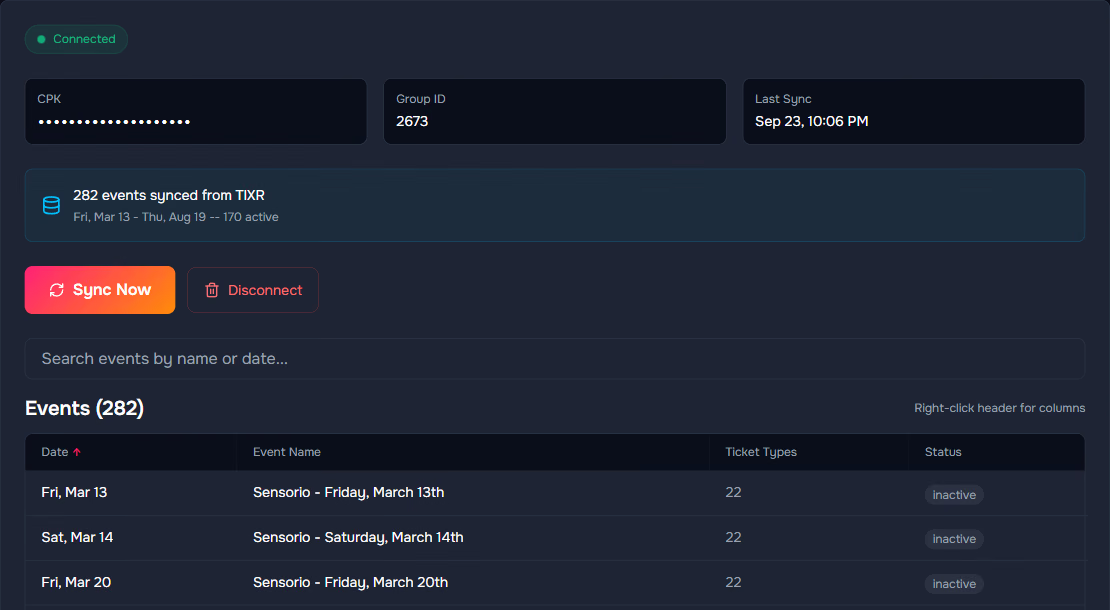
Connected, with every event synced
The connection panel, the last sync time, and every event with its ticket type count and status, all in one view. The largest account we've set up holds 282 events. Unpublish an event in your account and it's retired on the next sync, not deleted, so it comes right back if you republish.
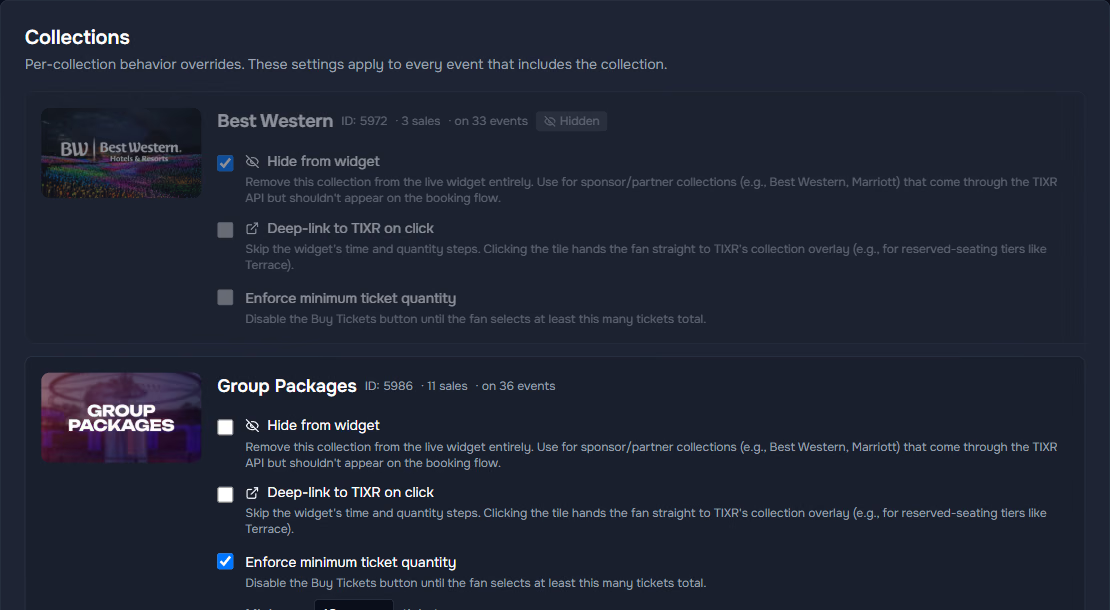
Three switches on every collection
Hide a sponsor or hotel collection from the public, send a reserved-seating tier straight to the seat picker, or set a minimum ticket quantity. Hidden collections stay on the list so you can switch them back on.
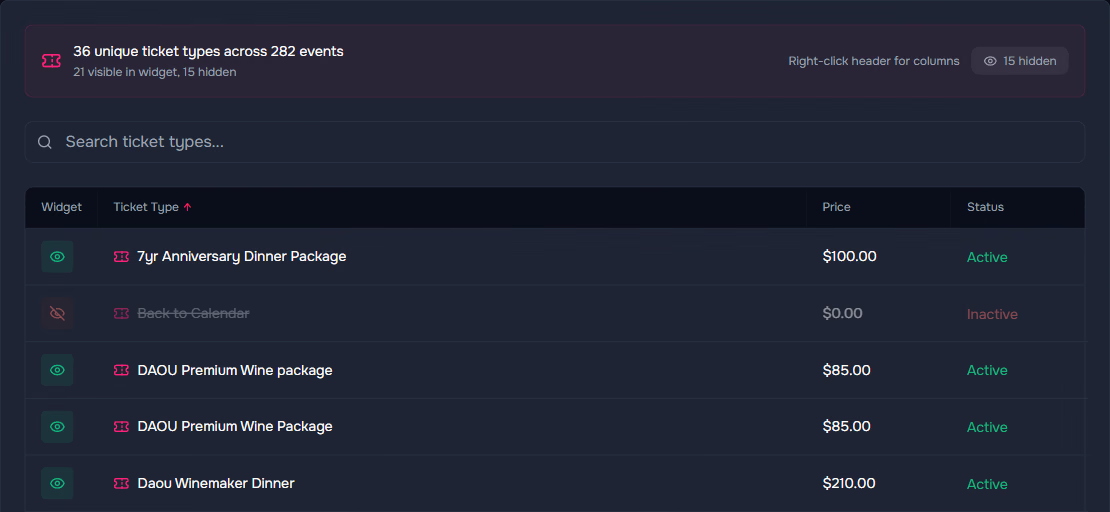
You choose which ticket types show
That same account carries 36 ticket types across its 282 events, each with its own show or hide switch and a running count of what the public sees. Zero-dollar add-ons and ticketing housekeeping items are hidden for you.
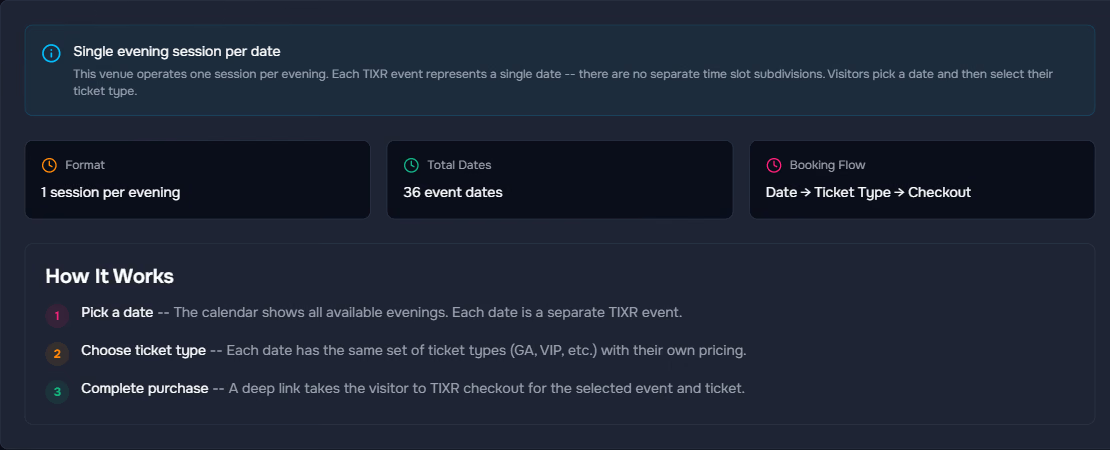
Entry times fill themselves in
Entry times are read straight out of your own events, so nobody types them in. A venue with one session an evening gets a simpler date-then-tickets flow, with no empty time step to click past.
It looks like you and lives on your site
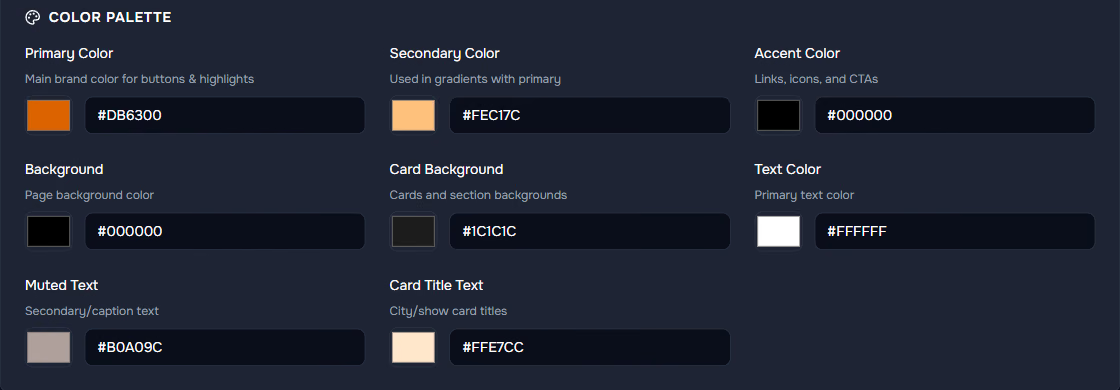
Set your colors, logo and fonts in the theme editor and watch a live preview change as you go. Fonts can come from Google or from your own files. Then one snippet goes on your site, either behind a Buy Tickets button that opens the booking window or as the window sitting right in the page. It carries its own styling, so nothing on your site can break it, and it looks the same everywhere. WordPress, Squarespace, Webflow, PixlSite and custom HTML all take it without a plugin.
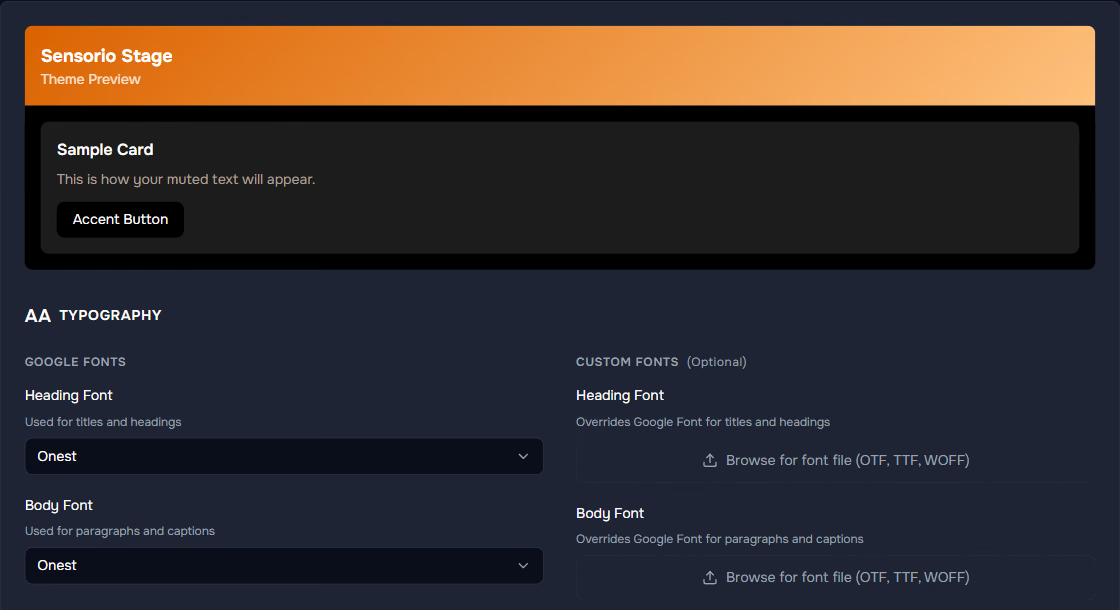
The preview card at the top updates as you type. Heading and body fonts come from Google, or upload your own OTF, TTF or WOFF files.
<!-- Pixl Attractions widget -->
<script
  src="https://widget.pixlattractions.com/widget.js"
  data-client="yourattraction"
  data-attraction="yourattraction"
  data-mode="popup">
</script>
<button data-pixl-buy>Buy Tickets</button>

See the whole path to checkout
Page views, sessions, conversion rate and Buy Tickets clicks over 7, 30 or 90 days, plus the full funnel from date to experience to time to Buy Tickets. Traffic breaks down by device, browser and operating system, all anonymous. If phone visitors start bailing at the time step, you'll know that week, not at the end of the season.
Illustrative figures. Your dashboard shows your own.
We're the front door. TIXR is the house.
Pixl Attractions never tries to be a ticketing platform. It lays out the choices in the order people actually make them, then hands the cart to TIXR. Inventory, payment, fees, delivery and entry all stay exactly where they are today.
Security, kept simple
A read-only key
We only store the read-only public key TIXR issues to every organizer. It can't change an event, a price or your inventory, and it can't see a single order. We validate it before anything syncs, and it stays masked in the dashboard.
No customer data
No names, emails or payment details ever pass through Pixl Attractions. The visitor's identity is handled entirely at checkout. Booking analytics are anonymous, and no IP addresses are stored with them.
Two-factor sign-in
Sign in with email and password, add two-factor authentication with recovery codes, and change your password from your account page. Everything runs over HTTPS.
Team roles
Invite each person by email as an administrator, editor or viewer, scoped to your own attractions. Your event and ticket data belong to you and live in your ticketing account, and if you ever disconnect, we delete the synced copy on request.

Commonly asked questions
What is Pixl Attractions?
A booking calendar that lives on your own website. Visitors pick a date, an experience, an entry time and their tickets, then finish on checkout with the cart already filled. It's built for attractions and anyone selling timed admission across lots of dates, which is exactly where a list of event pages stops working.
Does it replace TIXR?
No, and it isn't meant to. TIXR stays your ticketing platform, your checkout and your system of record. Pixl Attractions is the calendar and the booking steps in front of it. Everything you already run there keeps working the way it does today.
Does it work with other ticketing platforms?
No, it's built for TIXR only. It reads your events, prices, artwork and availability, and the purchase finishes at their checkout. If you're moving over, we can set this up as part of the switch.
Will it work on my website?
Yes, on any site that lets you add a script tag. That covers Webflow, WordPress, Squarespace and hand-built sites. It's one snippet, no plugin. The booking window runs in its own frame, so your existing styles and layout aren't touched.
Does it look like my brand or like Pixl?
Your brand. You set the colors, fonts and logo in the theme editor, and you can upload your own font files instead of using Google's. Because the booking window carries its own styling, it looks identical on every site it's embedded in, which is more than you can say for most things you paste into a page.
Who sets it up and how long does it take?
We do. Once you share your public key, you can be live in as little as one working day, because the work is connecting your account and matching your brand, not building from scratch. There's no self-serve signup, so you're never left to figure it out alone.
What do I need to give you?
Your public key and group number, your logo, colors and fonts, and someone who can paste a snippet into your site. If nobody on your team wants to touch the site, we'll add the snippet for you.
Is my ticketing account safe?
Yes. We only use the read-only public key every organizer is issued. It can't change an event, a price or your inventory, and it never sees an order, a customer or a payment. We validate the key before the first sync, and it stays masked in the dashboard.
How does the calendar stay up to date?
It syncs on its own throughout the day, and you can hit Sync Now whenever you want it sooner. Publish or unpublish a date in your account and your site follows on the next sync. Unpublished events are retired, not deleted, so a date you put back on sale comes right back.
Can I hide things I don't want the public to see?
Yes, without touching your ticketing account. Any ticket type or experience can be hidden from the booking window, which is how sponsor and hotel tiers stay out of the public flow. Zero-dollar add-ons are hidden automatically, and anything you hide stays on the list so you can switch it back on.
How are sold-out times shown?
They stay on screen, grayed out with a Sold Out badge. Someone who can see that 7:30 is gone will try 8:00 or another day, instead of assuming you're closed. Waitlisted times show a Waitlist badge and stay clickable.
Can it handle Adult and Child pricing?
Yes. Each price level gets its own quantity row with a running subtotal underneath, so a whole family order comes together on one screen. Where the levels are separate items in your account, the exact mix lands in the cart. Where they're levels inside one item, checkout confirms the level per ticket.
We sell group packages with a minimum. Does it enforce that?
Yes. Set a minimum on the experience and the quantity step opens with that number filled in, blocks checkout below it, and tells the visitor how many more they need. Group orders that used to come in short now arrive right the first time.
Where does the visitor pay?
At checkout. Buy Tickets opens TIXR checkout with the chosen tickets already in the cart. Prices in the booking window are base prices, labeled as before fees, because fees, taxes, payment, confirmation and ticket delivery are all handled there.
What happens to our existing ticketing links and pages?
Nothing. They keep working. Pixl Attractions sits alongside them as the booking entry point on your own site, so anything you've already printed, posted or paid to promote still goes where it went before.
Do you collect my customers' data?
No. Visitor names, emails and payment details never reach Pixl Attractions, because visitors give those at checkout. Our analytics are anonymous. Everything is hosted on Vercel and Amazon's cloud and served over secure connections.
What does it cost?
It depends on how many attractions you run and how much setup is involved. Tell us about yours and we'll give you a real number. There's no self-serve tier, because every account is set up by hand before it goes live.
Can we try it first?
Yes. The public demo runs on an actual TIXR API integration from the first click to a filled cart, so you can try a whole booking yourself. If you'd rather see it against your own season, book a walkthrough. Either way, bring the number of dates you have on sale.
What if we stop using it?
Remove the snippet and your site is exactly as it was. Your events, prices and orders lived in your ticketing account the whole time, so there's nothing to move back. We delete the synced copy on request.

See your own season as a calendar
This is the part people remember: watching their own season turn into a calendar visitors can actually book. We connect the account, decide with you what the public sees, match your brand and test a booking all the way to checkout. Then you paste one snippet, or we do it for you.